Resell Go365 VietNam services
This handbook is for agents, travel companies and affiliates holding a partner account issued by Go365 VietNam. It covers everything from registration to receiving service vouchers and tracking sales on go365.vn.
Updated 1 August 2026 · Partner support: +84 789 900 077 · +84 789 900 099 · +84 789 900 055
This page shows agents, travel companies and affiliates how to buy Go365 VietNam services at wholesale rates and resell them. If your company has its own services and wants Go365 VietNam to sell them, see Supply your services to Go365 VietNam.
How the B2B system works
No phone calls to ask for rates, no waiting for a quote over chat. Sign in and your wholesale prices are already there — book and pay online at any hour.
- Automatic wholesale pricing — your wholesale code is tied to your account; at checkout the discount field fills in by itself.
- Pay right away — 9Pay (card/QR), corporate bank transfer with a VAT invoice, or personal bank transfer.
- Vouchers go to the partner inbox — your travellers receive nothing from Go365 VietNam; you pass the voucher on yourself.
The process in 7 steps
Steps 1 and 2 happen once when your account is opened. From step 3 onwards it is the routine you repeat for every booking.
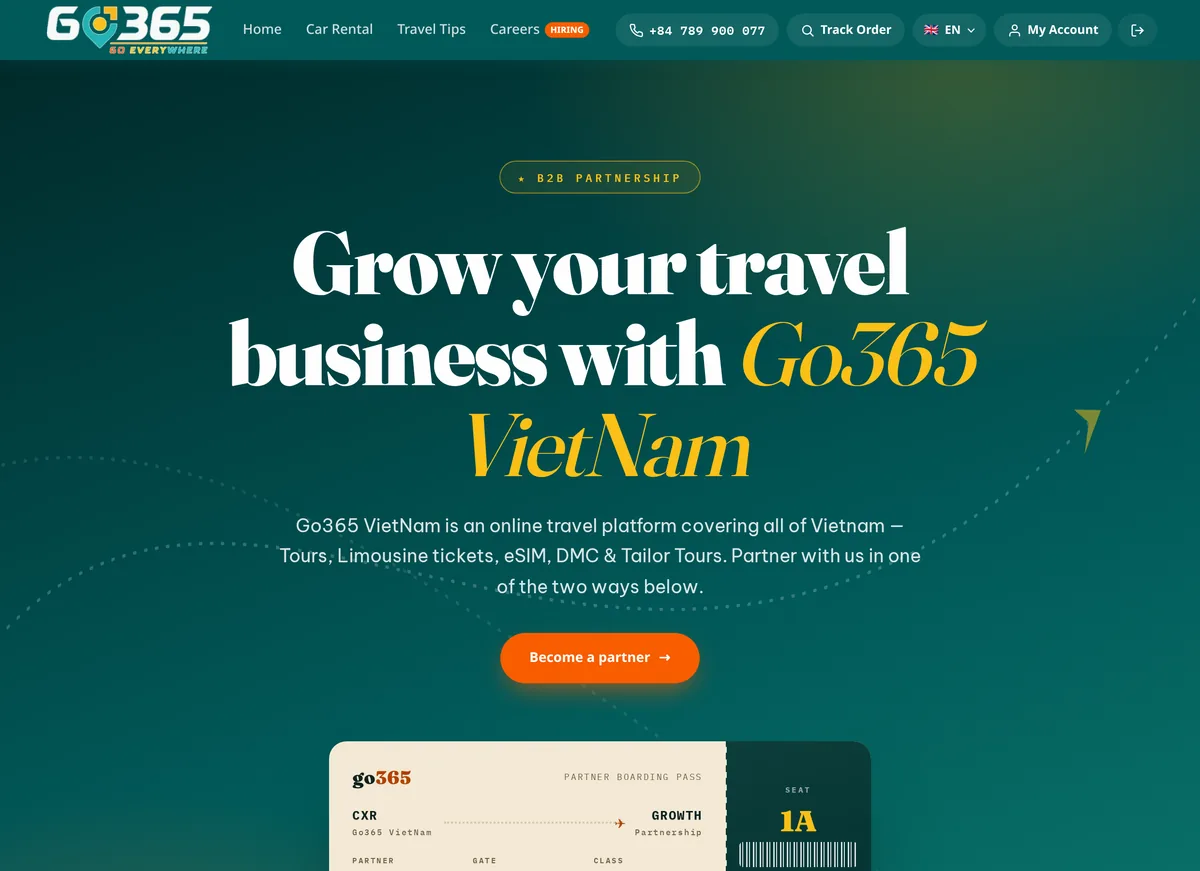
Step 1 · Register as a partner
Go to go365.vn/partner, choose “Sell with Go365 VietNam (agent / affiliate)”, fill in company name, contact person, email, phone, product field and scale of operation, then submit. Our partner team replies within 24 business hours. Skip this step if Go365 VietNam has already opened an account for you.
Step 2 · Receive your account and sign in
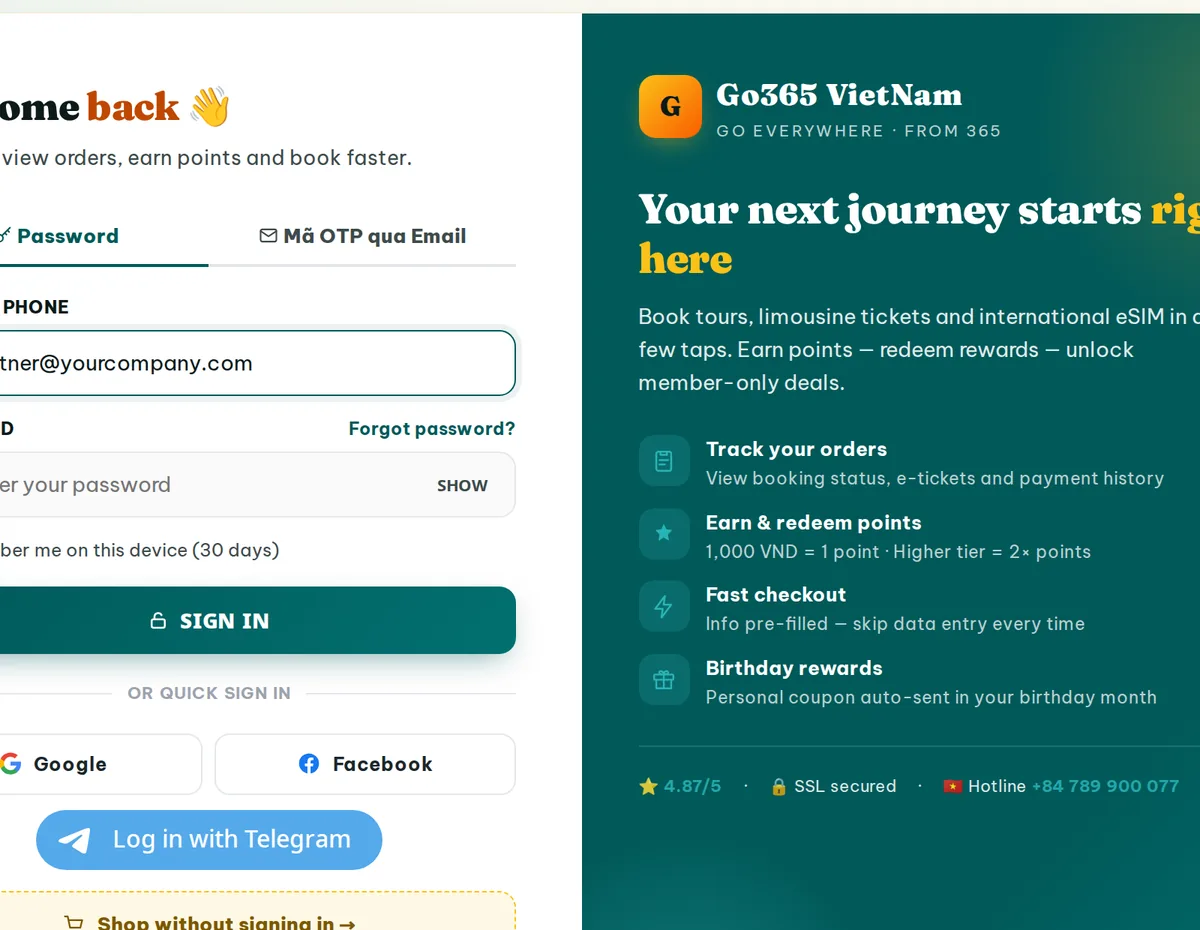
The partner account is issued against your company email and phone number. Open go365.vn/partner-portal and use the Sign in button on that page — you will be returned to the partner portal automatically.
- Bookmark
go365.vn/partner-portal— the only address you need to remember. - Forgotten password: go365.vn/forgot-password.
- Change your password once signed in:
go365.vn/account/change-password. - The account belongs to your company — do not share it, the wholesale code travels with it.
Step 3 · Check the partner portal
Once signed in, the portal shows your company name and the wholesale code linked to the account, plus a summary of the B2B policy. Seeing both means the account is ready to use.
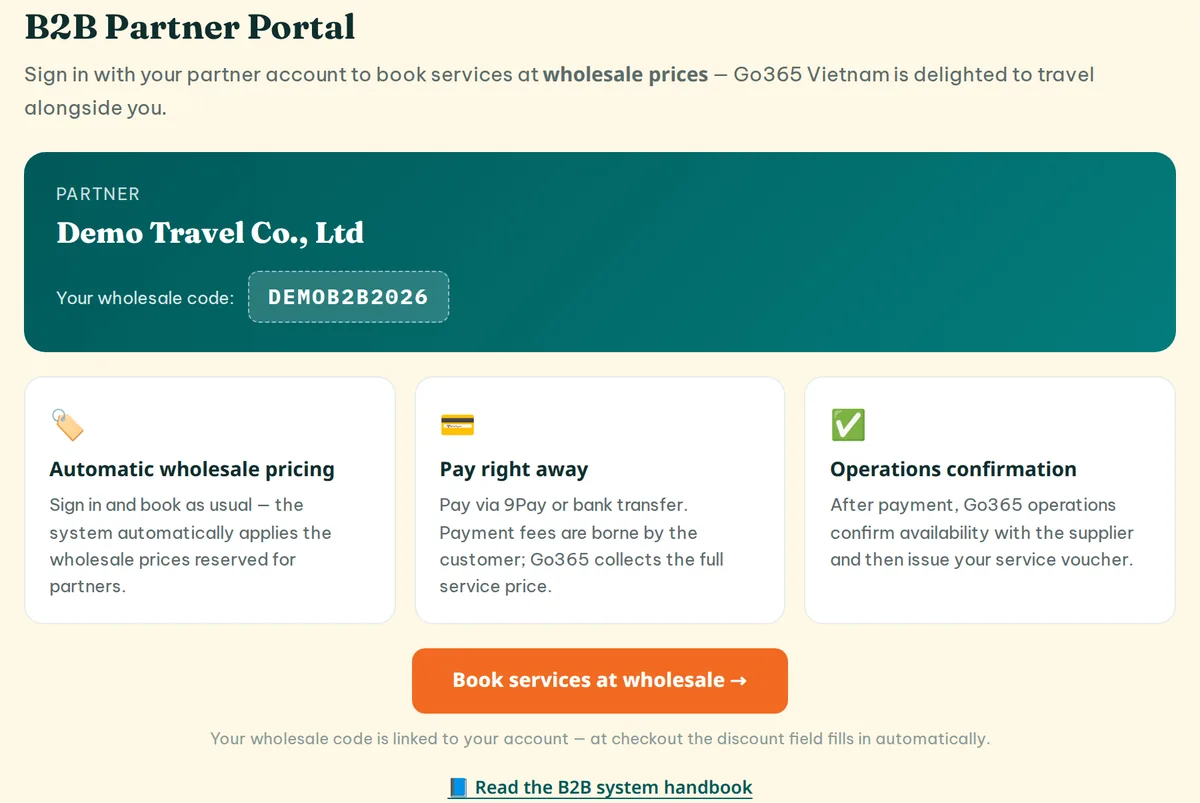
If the page says “This account is not a B2B partner yet”, you are signed in with a retail customer account. Sign out and sign in with the company email Go365 VietNam issued.
Step 4 · Open the agent price list
Click “Book services at wholesale →” or go straight to go365.vn/partner-prices. The columns are: Service · Category · Destination · Retail price → Your price.
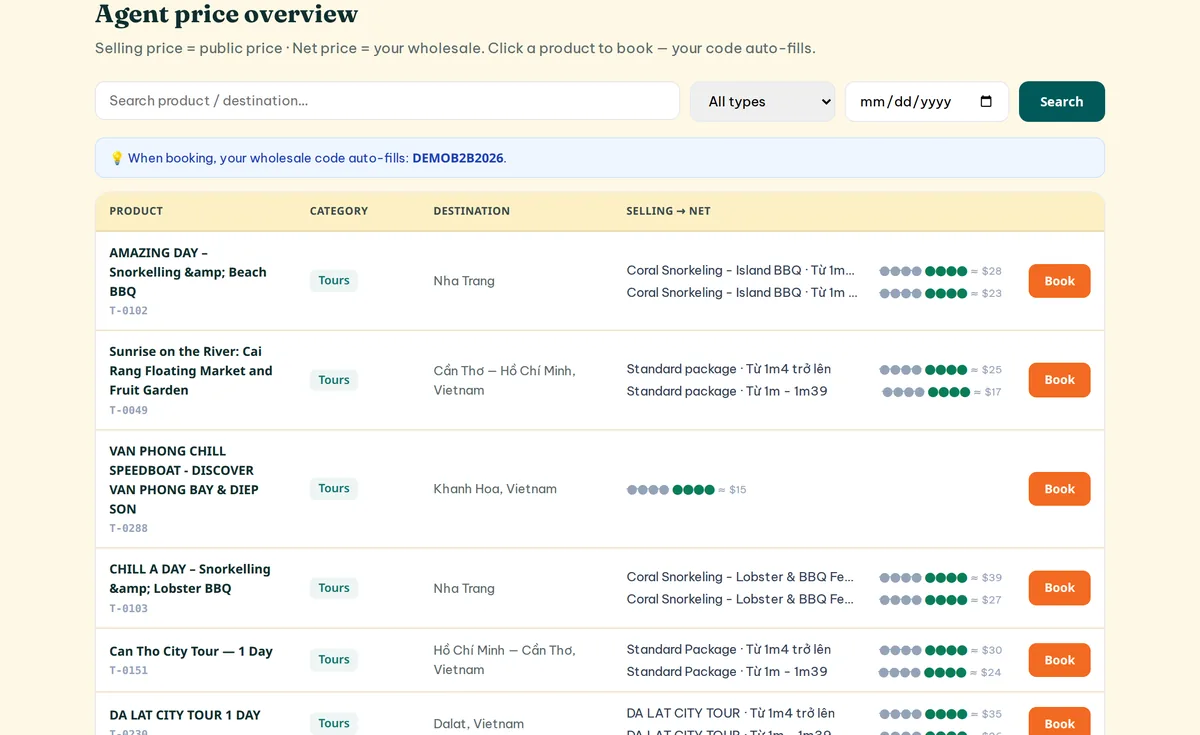
- Retail price is the public price on our website — your reference for reselling.
- Your price is the wholesale price you actually pay Go365 VietNam.
- Search by service name or destination, filter by category: Tour · Transport · eSIM · DMC.
- Click a service name to open its booking page.
The list only shows services with complete cost data. A transport service missing the cost of a single vehicle type is hidden entirely — tell your account manager and it is usually added the same day.
Step 5 · Book the service
Fill in the booking form as a normal customer would. The discount field is already filled with your wholesale code and locked — your confirmation that the system recognises you as a partner.
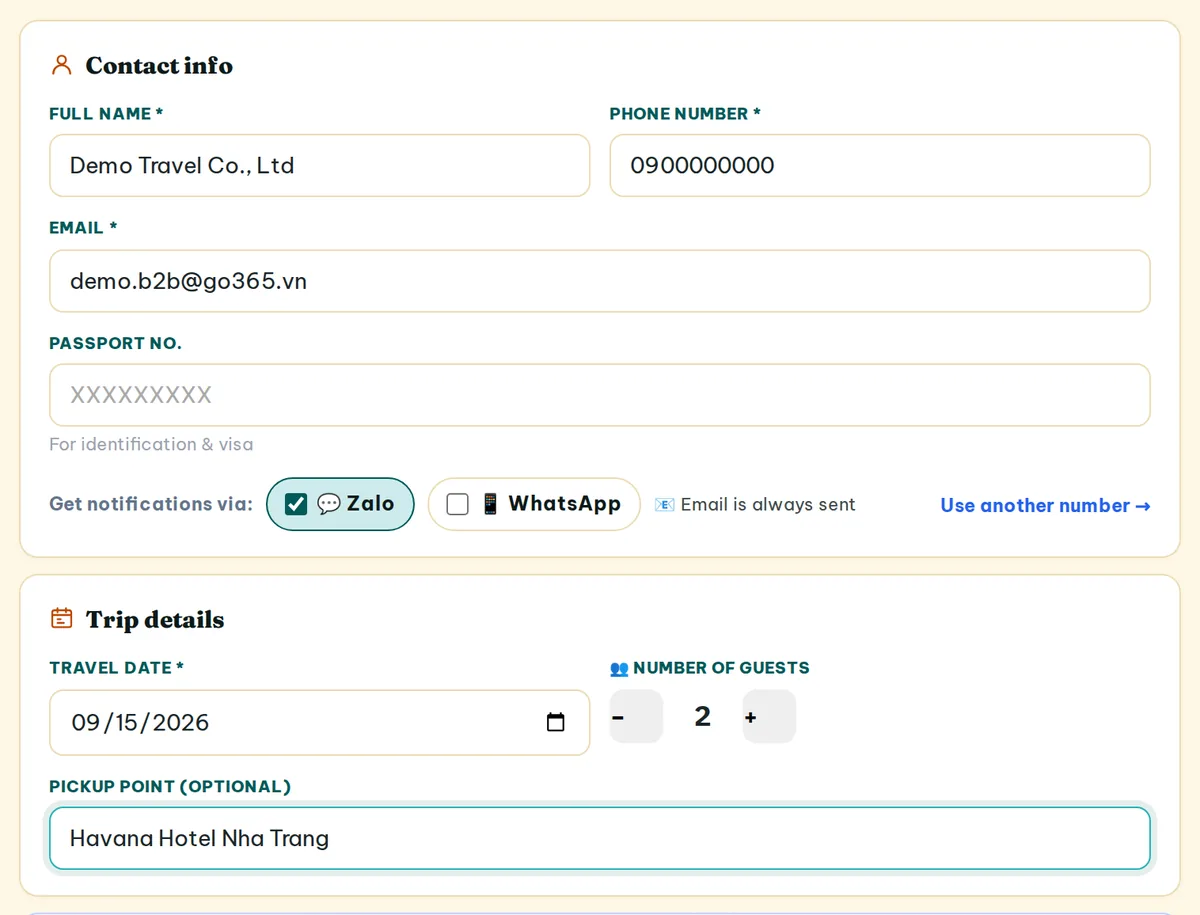
- Keep your partner account email and phone number in the contact section. That is how a B2B booking is identified — replacing them with your traveller's details loses the wholesale price immediately.
- Put the traveller's real details (name, phone, pick-up time, special requests) in the Notes field.
- The booking is issued in your company's name. For a VAT invoice, complete the company details in the invoicing section.
Step 6 · Pay
Pick one of the three methods below. Any payment gateway fee is shown separately before you pay, and you must tick to agree before the payment goes through.
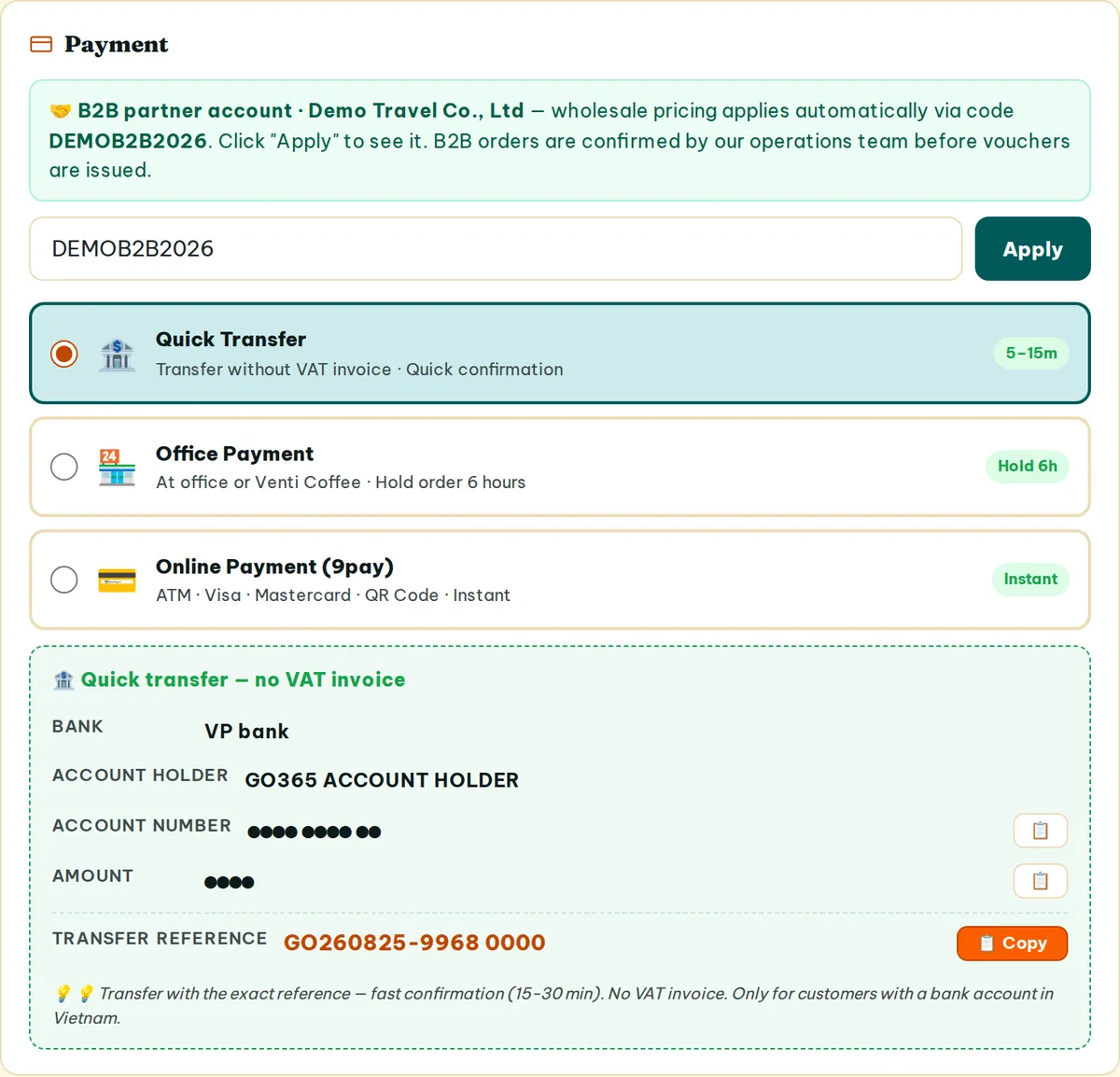
| Method | VAT invoice | Fee | Confirmation |
|---|---|---|---|
| 9Pay Card / QR / bank | On request | 3.5% + 5,500₫ paid by the buyer | Instant, automatic |
| Corporate transfer Go365 VietNam company account | Yes, VAT 10% | None | Operations confirm |
| Personal transfer no invoice issued | No | None | Operations confirm |
For bank transfers, use the booking code shown on screen as the transfer reference. Operations reconcile and confirm within roughly 15–30 minutes during business hours.
Step 7 · Receive the voucher and track bookings
Paid via 9Pay: the booking is confirmed automatically and the voucher is sent immediately to your partner account email. Paid by transfer: the voucher follows once operations confirm.
- Booking list: go365.vn/account/bookings
- Monthly sales: go365.vn/account/partner-report — paid bookings only; pending and cancelled ones are excluded.
- Your Go365 VietNam account manager: go365.vn/account/contacts
Four rules to remember
- The wholesale code works only for its owner. The system matches the booking email and phone against the code owner; passing the code to someone else is simply rejected.
- B2B bookings are a clean flow. The wholesale price is final: no loyalty points, no stacking of retail coupons or promotions, no add-on upsells, no point redemption.
- Company details are entered once, then locked. Company name, tax code, address and invoicing email lock after saving to keep invoices consistent; contact your account manager to change them.
- The price is fixed when the booking is created. Agent prices change with season and supplier; an existing booking keeps the price it was created at.
Page directory
| What you want to do | Address |
|---|---|
| Register a partnership | go365.vn/partner |
| Sign in, open the portal, see your wholesale code | go365.vn/partner-portal |
| Forgotten password | go365.vn/forgot-password |
| Agent price list | go365.vn/partner-prices |
| Your bookings | go365.vn/account/bookings |
| Sales report | go365.vn/account/partner-report |
| Account manager | go365.vn/account/contacts |
| Company profile | go365.vn/account/profile |
Frequently asked questions
I booked but the price is the same as the public website.
Check three things: that you are signed in with the partner account (go365.vn/partner-portal must show your company name), that the discount field is pre-filled with your wholesale code, and that the contact email and phone were not replaced with your traveller's details. If it still shows retail pricing, call your account manager.
Will my travellers get emails or messages from Go365 VietNam?
No. The booking is in your company's name, so the voucher and all notifications go to your partner account email. You forward them to your travellers yourself.
Whose details do I enter when booking on behalf of a traveller?
Keep your partner account email and phone in the contact section. Put the traveller's actual details in the Notes field so operations and the supplier have them.
How do I get a VAT invoice?
Choose corporate bank transfer with VAT invoice and complete your company details in the invoicing section. VAT is 10%.
What about cancellations and date changes?
Cancellation and change policies differ by service and supplier and are stated on each service page. For urgent cases, contact your account manager or the hotline at +84 789 900 077.
Is the price list available in other languages?
Yes. The partner portal supports Vietnamese, English, Korean, Traditional Chinese, Simplified Chinese and Russian. Switch language at the top of the page; foreign-currency equivalents are shown next to the VND price.
Go365 VietNam — NSNT Co., Ltd · Tax code 4201982233 · 68 Nguyen Xien, West Nha Trang, Khanh Hoa, Vietnam
Partner support: +84 789 900 077 · +84 789 900 099 · +84 789 900 055 · go365.vn